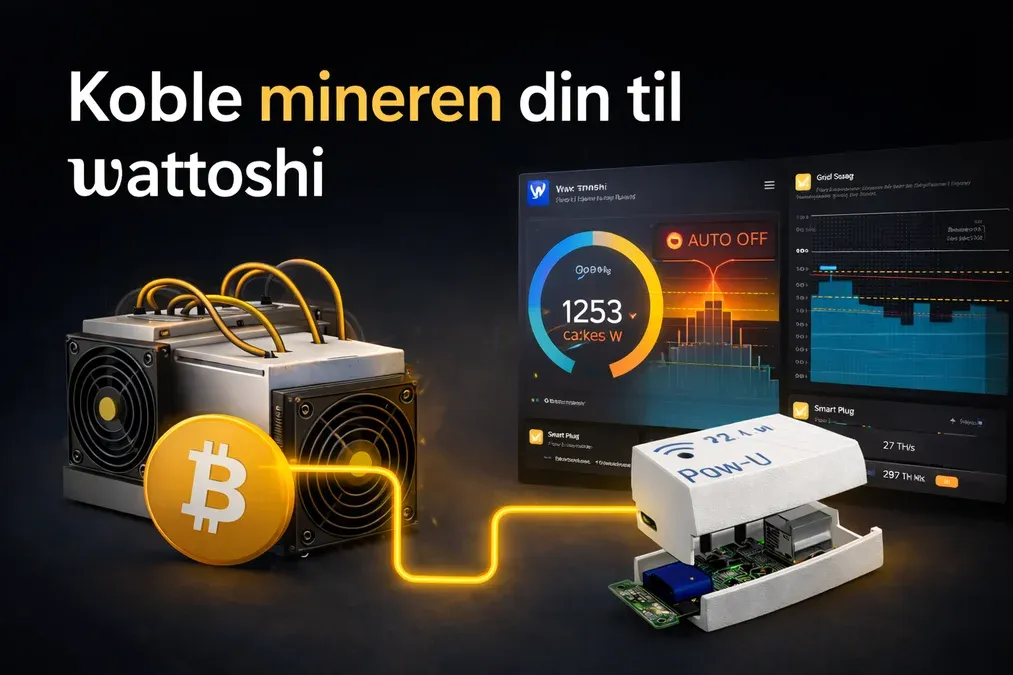
In this article you will learn how to:
- Utilize multiple features of your miner
- Control it using automation rules
- Minimize costs and increase profitability
01What does it mean to make your miner “smart”?
It means using your miner in a way that takes advantage of more of its built-in properties to increase both profitability and usefulness.
In addition to producing Bitcoin, miners have several other important characteristics you can take advantage of:
- They produce heat, which many people already use. (1 kWh in = 1 kWh of heat out)
- They represent a significant electrical load
- They can be regulated and turned on/off quickly and easily
To truly take advantage of this, you need full control. You must knowwhen running the miner gives you the most value for your energy, and you must be able toturn it on and off automaticallyto balance the capacity component of your grid tariff, which represents a large part of the electricity cost.
A miner is actually theperfect flexible load, and once you learn how to manage this flexibility, several exciting opportunities open up.
To take advantage of these properties, you need to be able to:
- Control your mineroutside your local network
- Setautomation rulesthat use the miner’s load to avoid unnecessary grid fees and maximize profit
- Automatically regulate operation based onmaximum limits, time of day, or heating needs
WithWattoshi, all of this is tied together so your miner becomes theprimary load that regulates and optimizes your electricity consumption.
02Step 1: Add your miner under Devices
- Go toDevicesand clickAdd Device (+).
Select the specific miner model that you own.
👉 Once your miners are added, go to theDashboardand configure the miner card.
How to add them to the dashboard
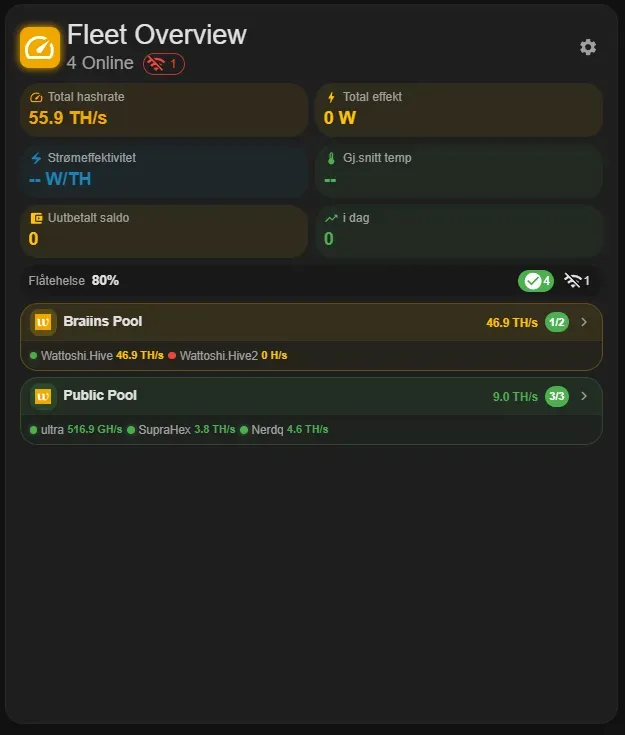
- In theWattoshi Dashboard, add theFleet cardand theMiner card
- Click thesettings iconon the card and add yourpools
- Follow the individual instructions shown for your specific device
Note:Add pools first so that your miners become visible in both theMiner cardand theFleet card.
03Step 2: There are two ways to control your miner remotely
1. Local control on your home network
Most miners can only be controlled from thelocal network. (Contact Wattoshi about local control at wattoshi@wattoshi.com.)
Because of this, we recommend also using asmart plug, which allows you to control your miner even when you are not connected to your home network.
2. Control from anywhere with the right smart plug (recommended)
To turn your miner on/off and monitor it efficiently regardless of your location, we recommend using asmart plug.
A miner can be safely turned on and off via a smart plugwithout additional wear. In fact, it can be argued that this is better for the miner than leaving it inidle mode, where temperature fluctuations during cooling can increase hardware stress.
When the miner is connected to asmart plug(recommended: Shelly), it can also function as apeak limiter, automatically cutting consumption spikes and reducing grid capacity costs.
In simple terms:
Peak shaving prevents consumption spikes that increase your capacity-based grid fees.
04Choosing the right smart plug
We recommendShelly smart plugs, which is why we sell them in our store.
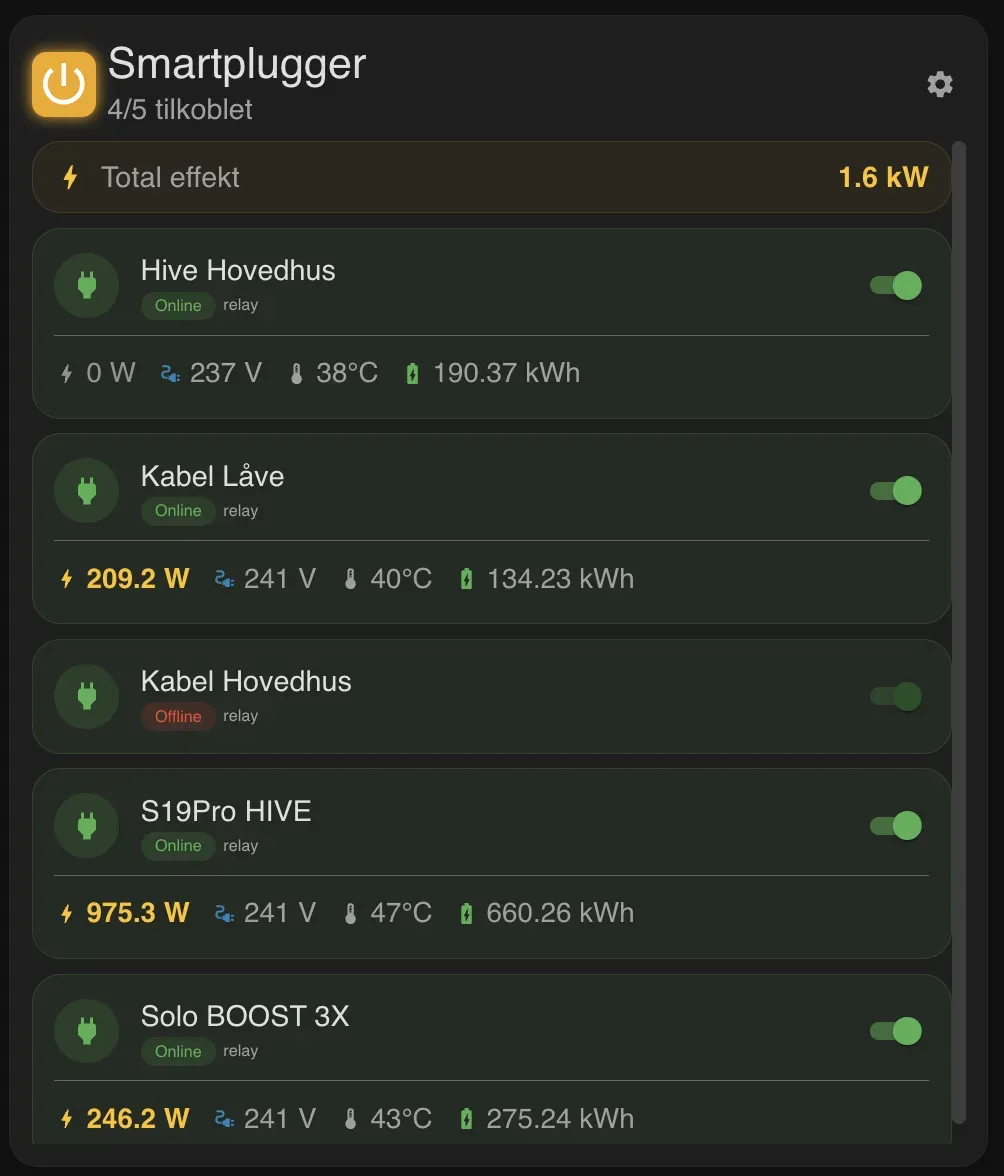
They providepower consumption data and temperature monitoring, which is ideal for mining setups. They are also integrated withWattoshiand provide more useful data than most other smart plugs.
You can view them in our store here
How Shelly smart plugs appear in the dashboard:
05Step 3:Now you can use your miner smartly.:
Your miner can now automatically regulate itself based on the rules you set. It can:
- Turn off to smooth out consumption peaks
- Be controlled remotely when you are not at home
- Participate inflexibility markets, where flexible loads can earnup to 5× the spot electricity priceby adjusting consumption based on signals through Wattoshi and your grid operator
Start here:
👉 Learn more aboutpeak shavingand how it can reduce your grid costs in ourPeak Shaving guide.
06Step 4: Monitor your mining cards:
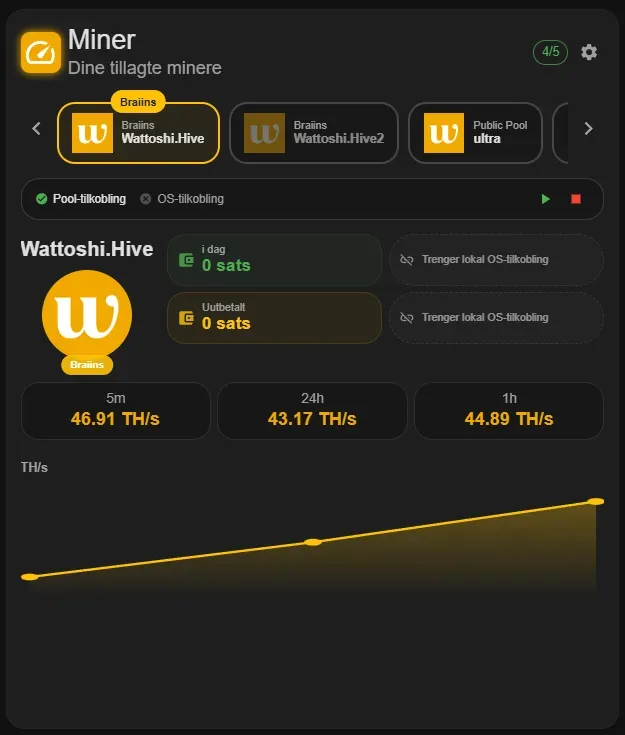
Once your miner(s) are correctly added to the dashboard, you will see the following cards:
These are theminer cards, which give you an overview of your mining activity and status.
Thank you for reading the guide.